


End-to-end construction project management platform.
From the client QS to the labourer, Truvect puts everyone on the same live project, each with their own access level, all seeing progress as it happens.
Truvect understands what you're building and the contract underneath it, with the insight of an experienced QS, from programme to payments and everything in between.
This is the most cohesive and complete project and financial management tool I have ever seen.
Every module reports to one page. Programme, contract admin, defects, compliance, documents, financial, health and safety. Truvect AI writes the daily briefing: blockers, risks, and where to focus first. The portfolio dashboard provides a similar lens across all your projects.


Upload a set and Truvect reads every sheet against the revision before it: which sheets changed, what changed on them, and which changes someone has to act on. Wipe between the two revisions, mark up the sheet, and tag whoever needs to answer in a comment. Issue any revision to the team as a transmittal from the register.


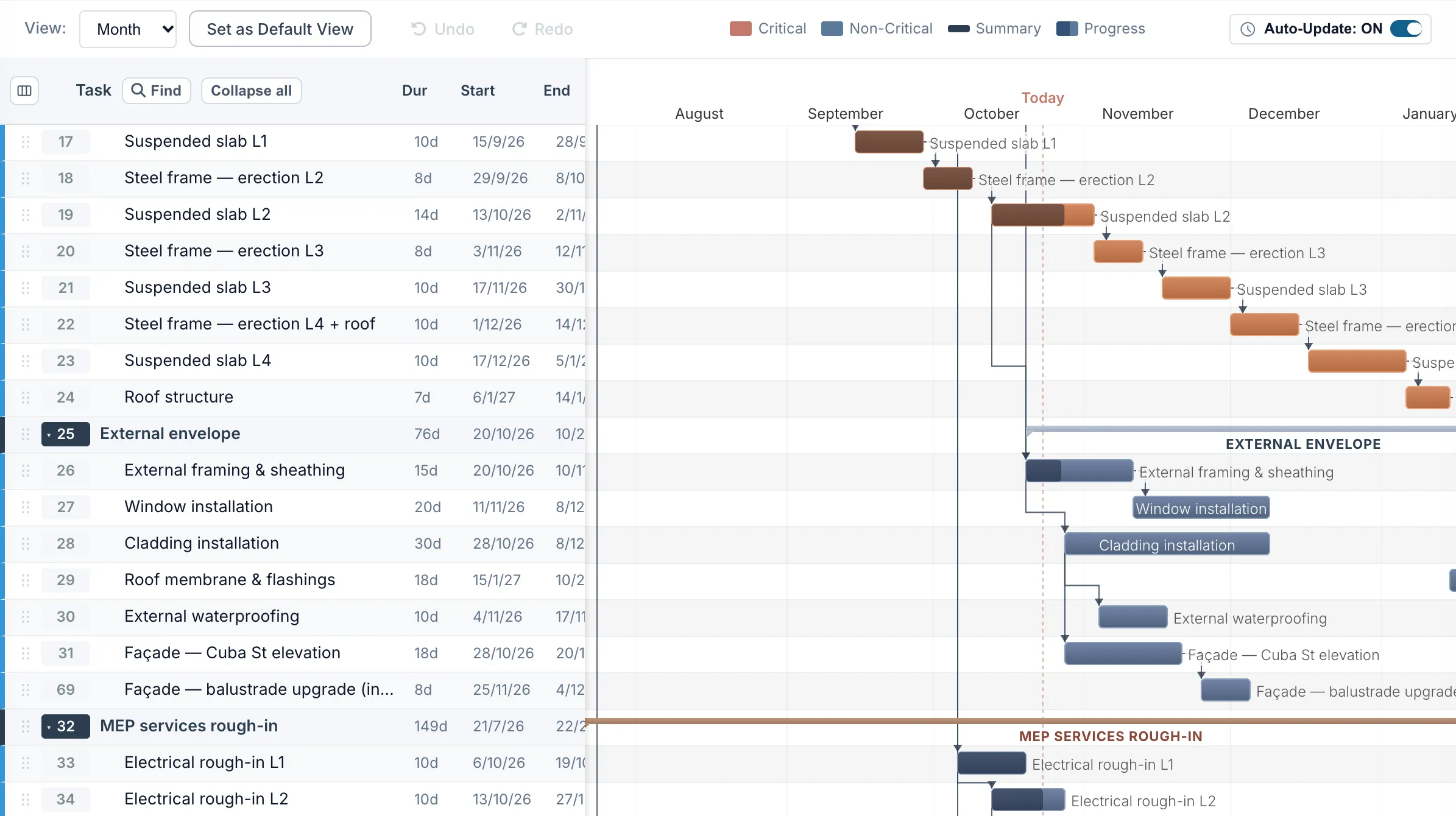
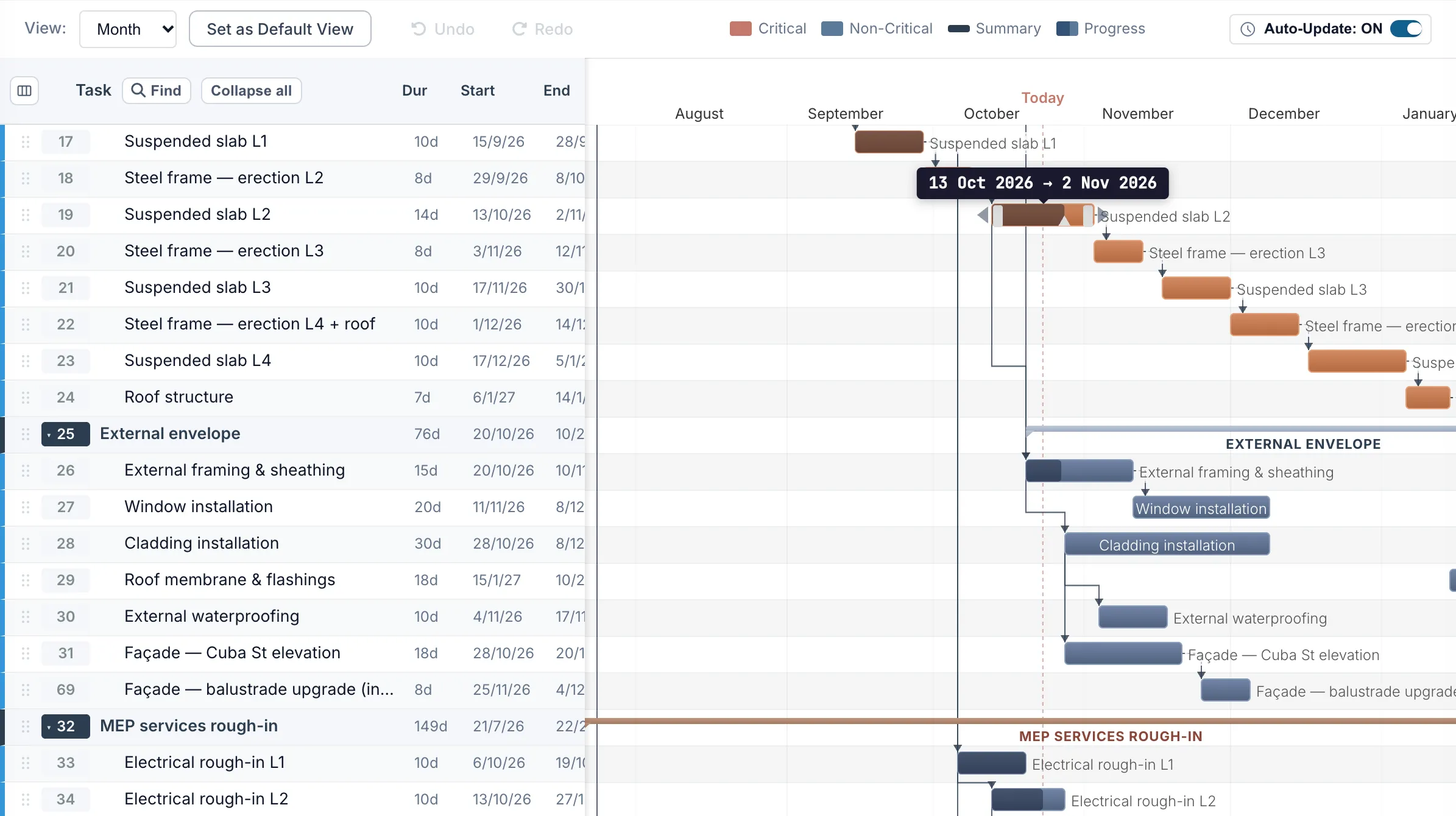
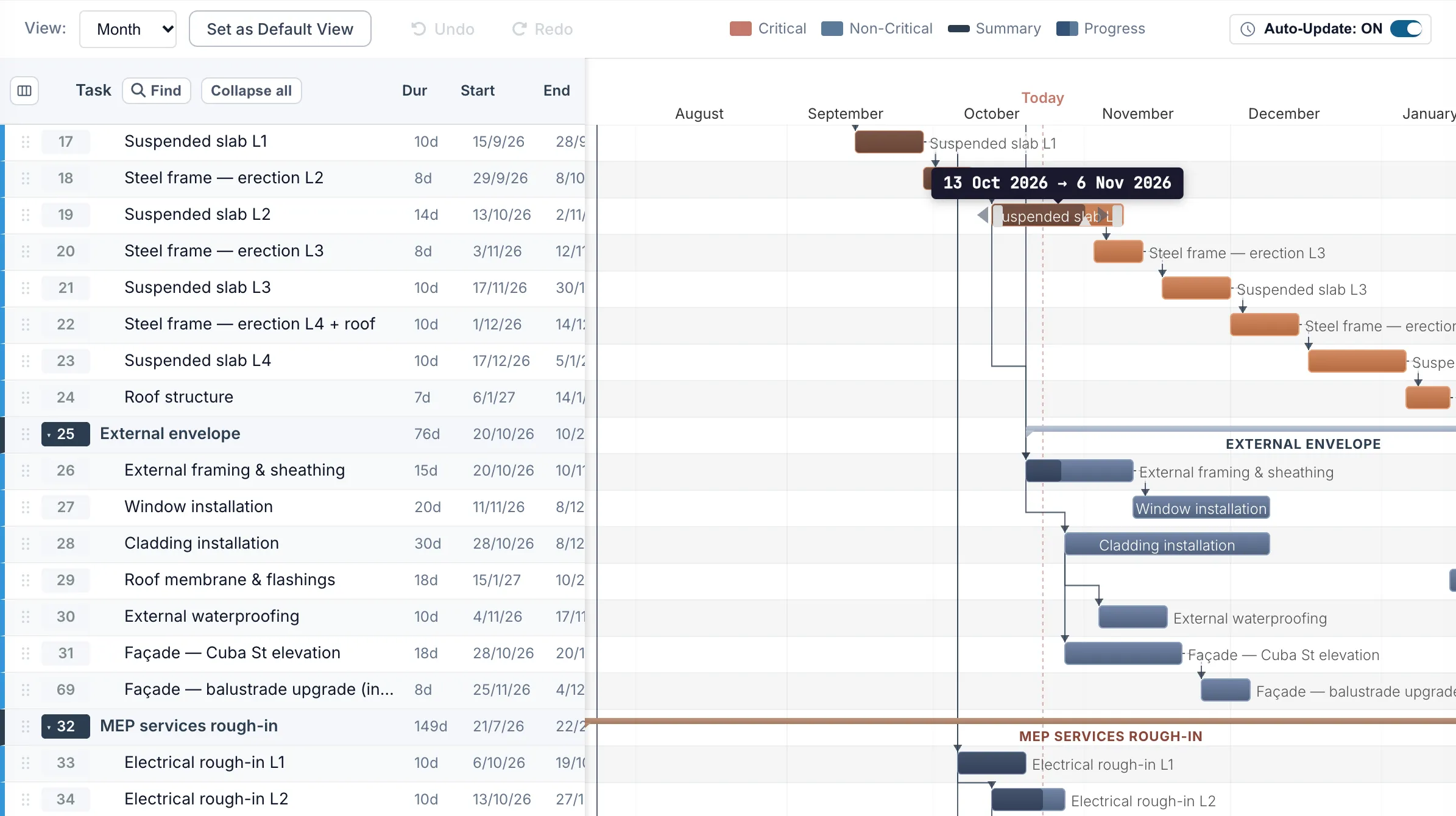
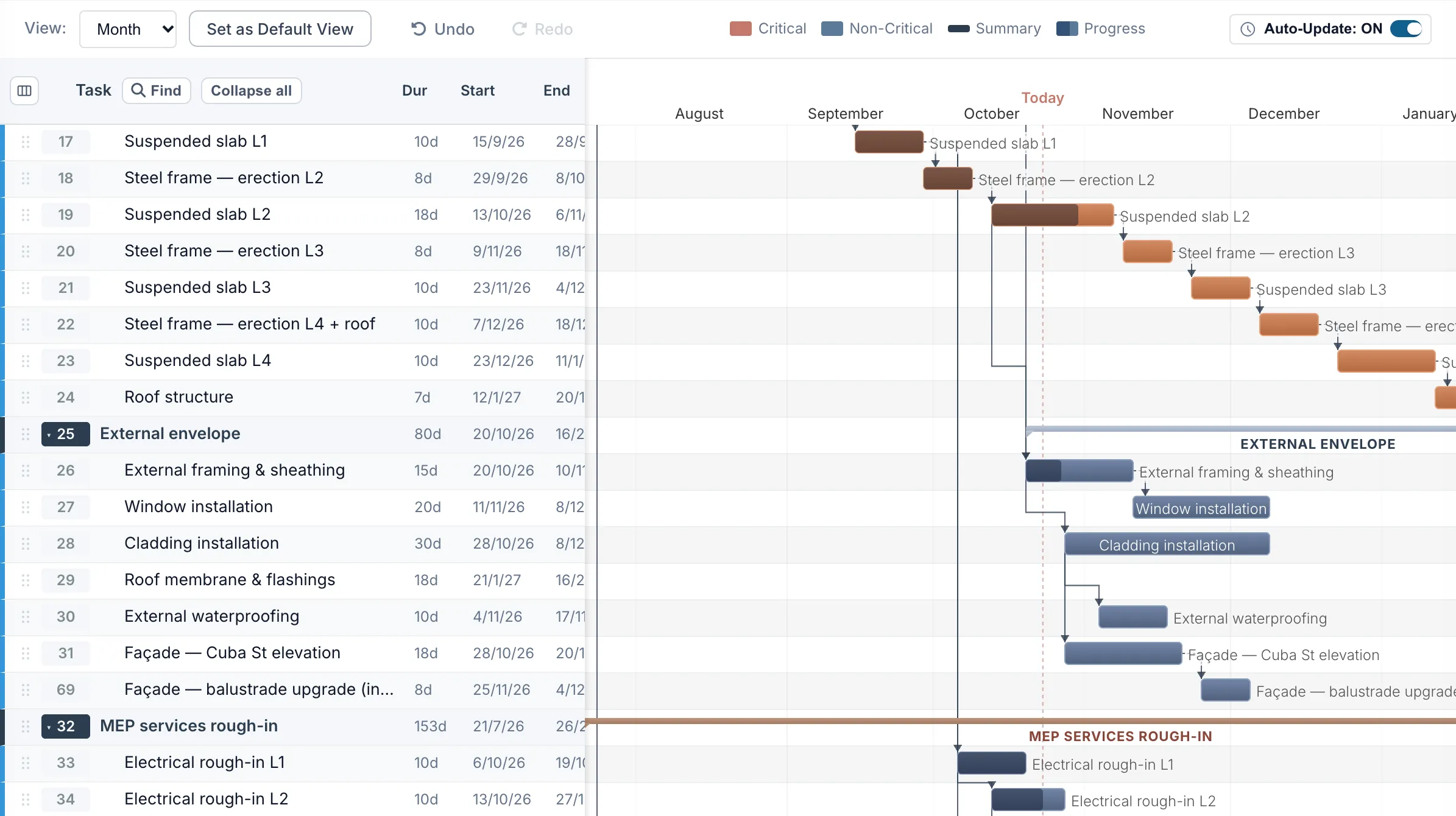
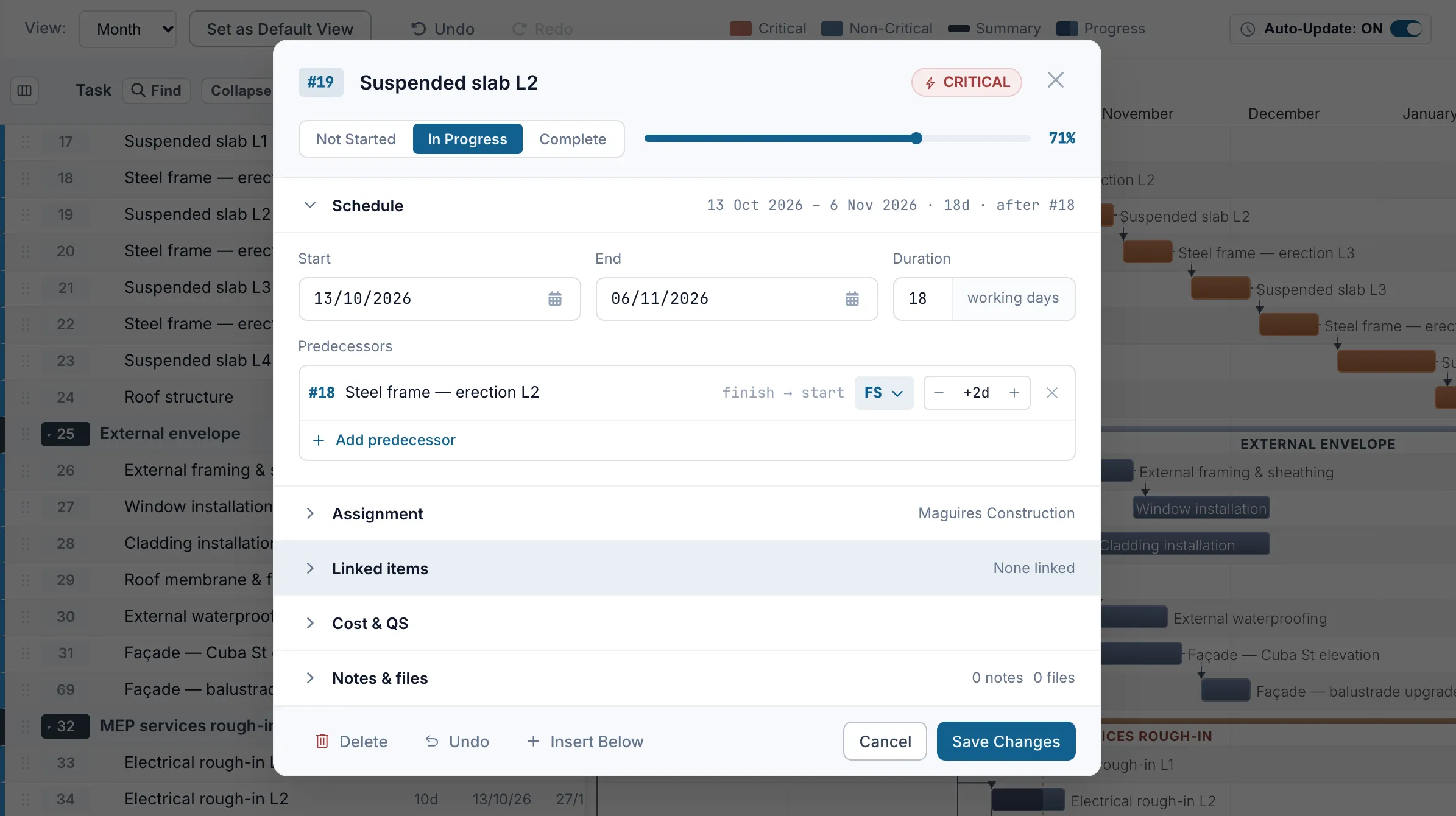
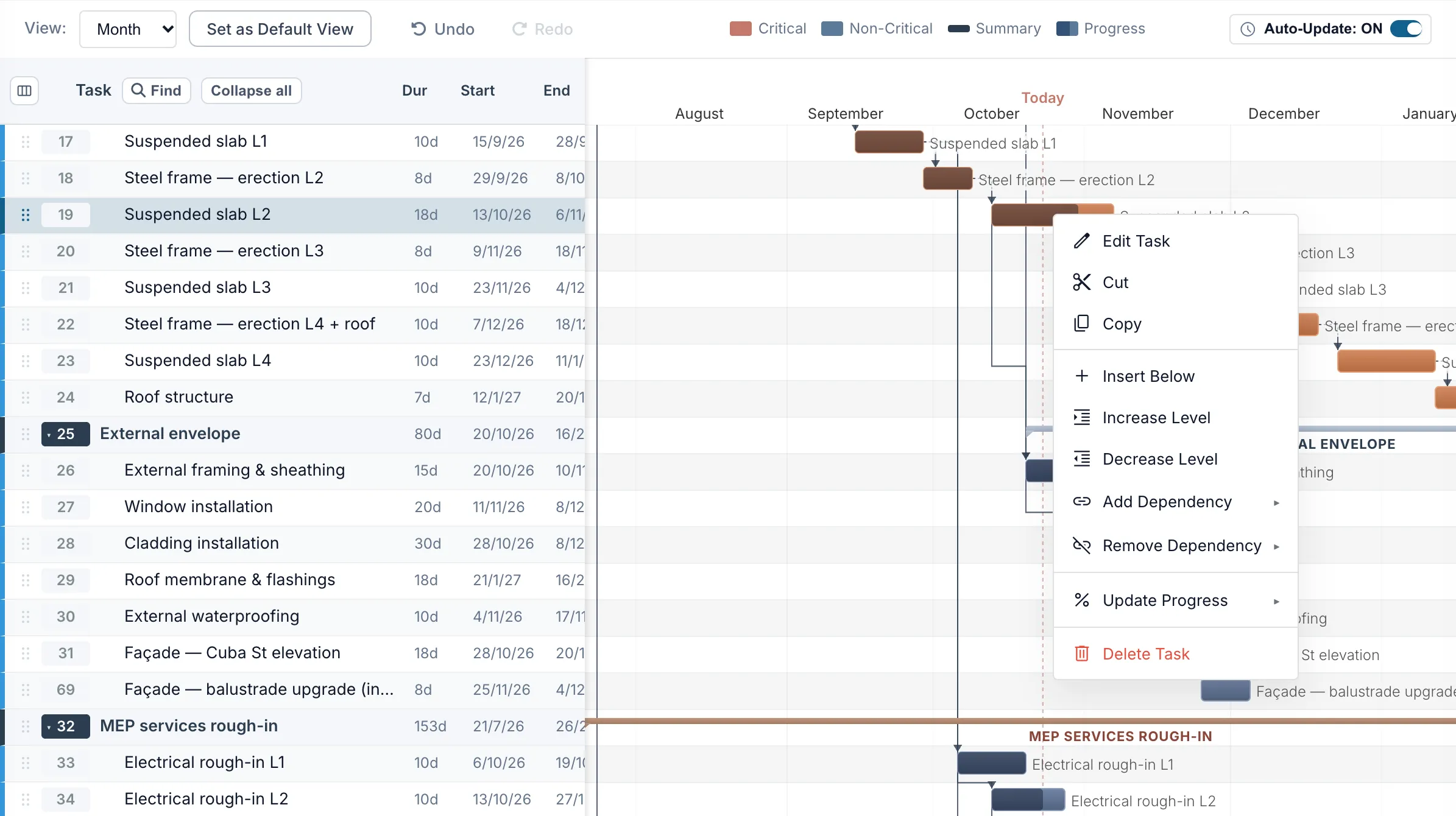
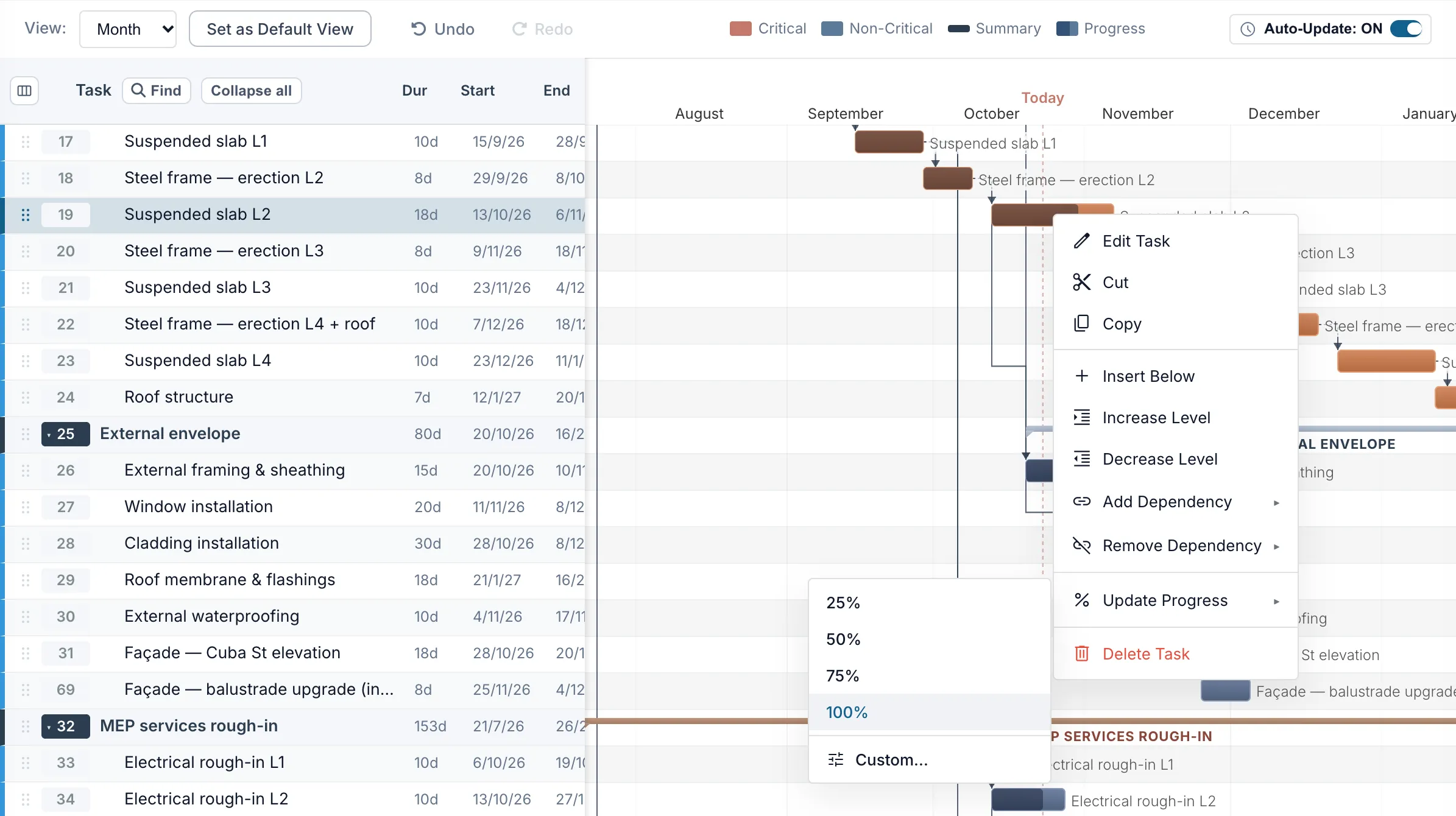
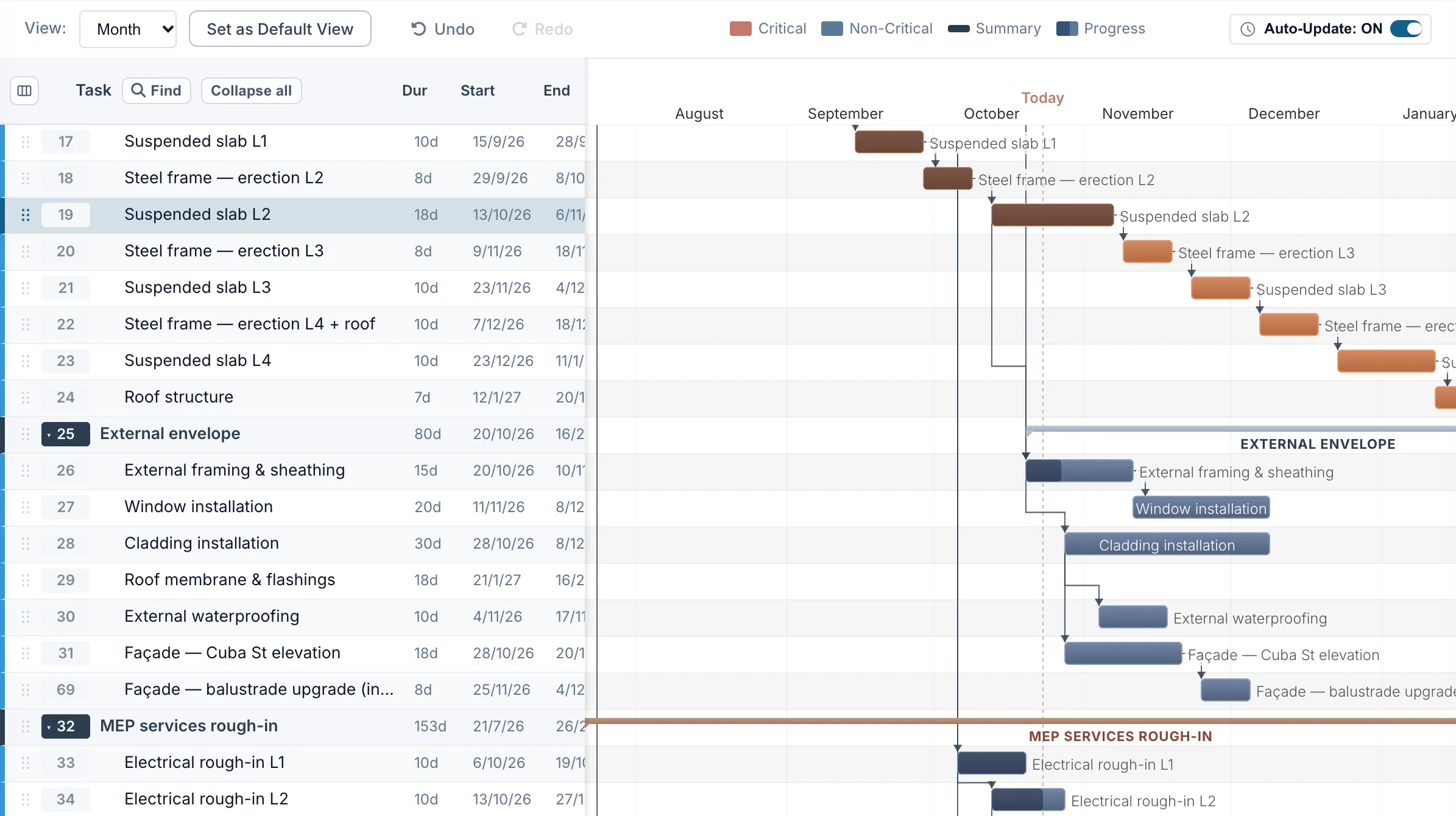
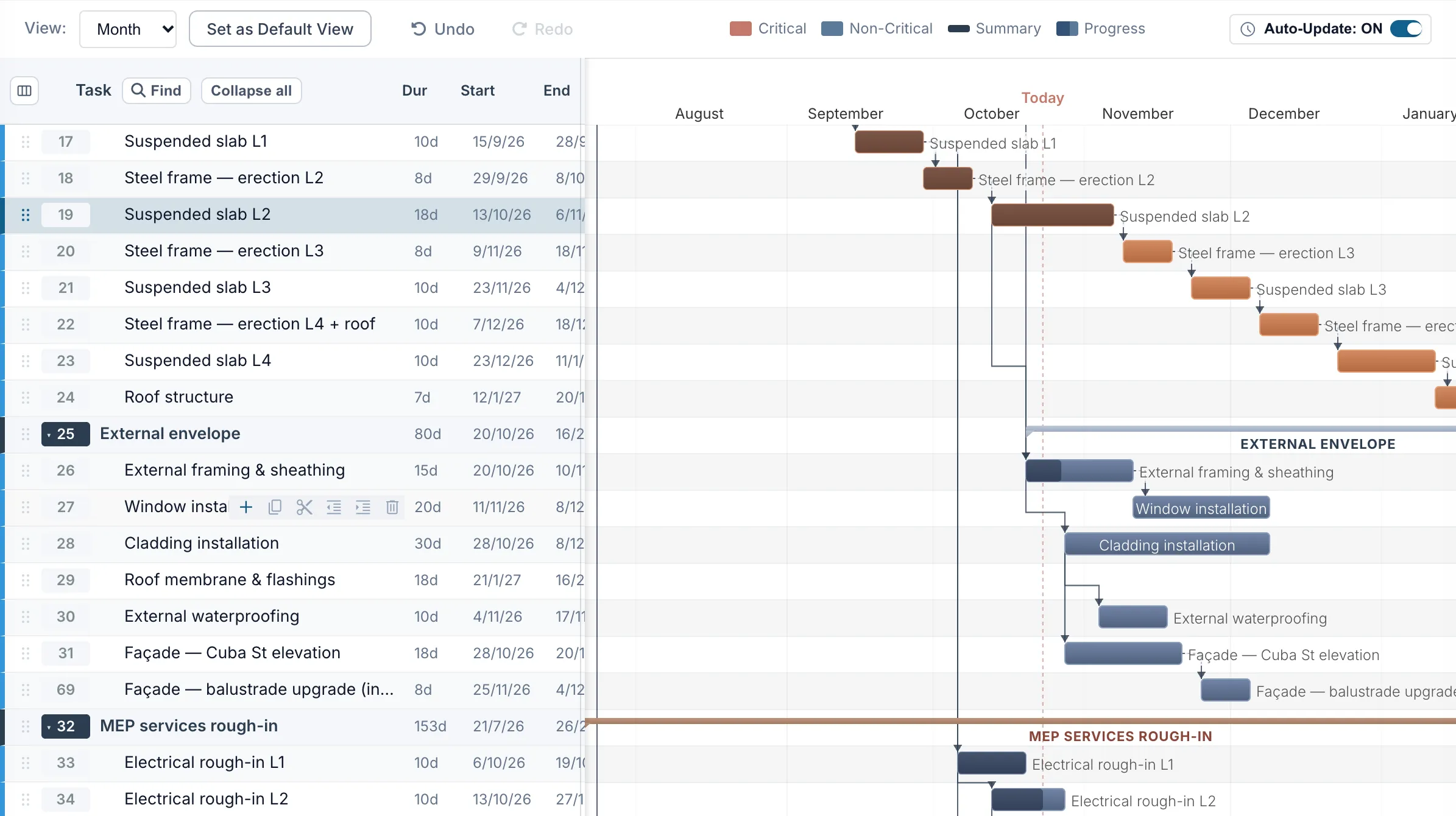
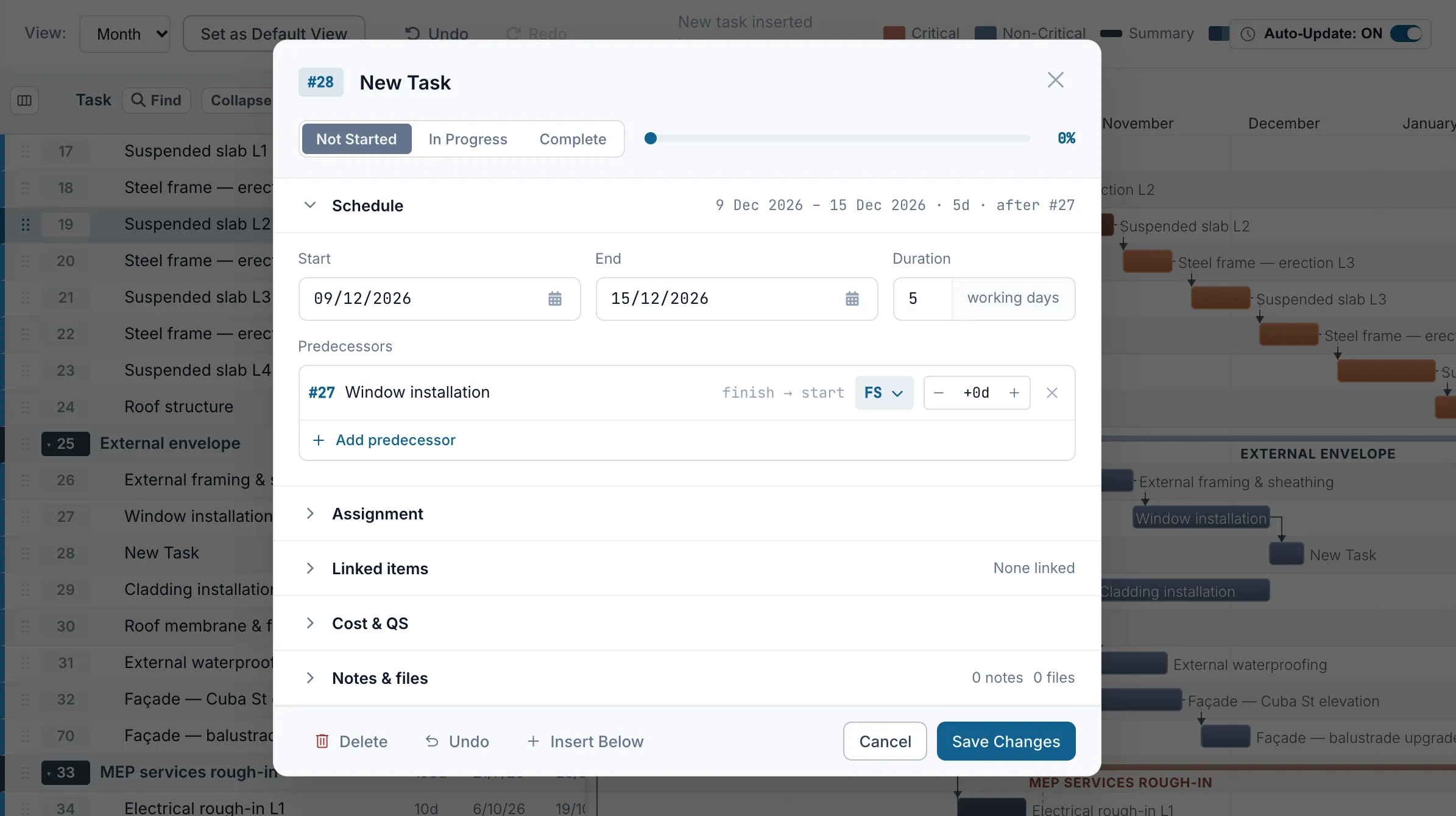
Move a task to its actual start or finish date and Truvect recalculates linked activities, downstream dates, and the critical path. Assign tasks to the site team and they can update progress directly from their phone. Truvect supports working and contract programmes so you can publish updates for client visibility.


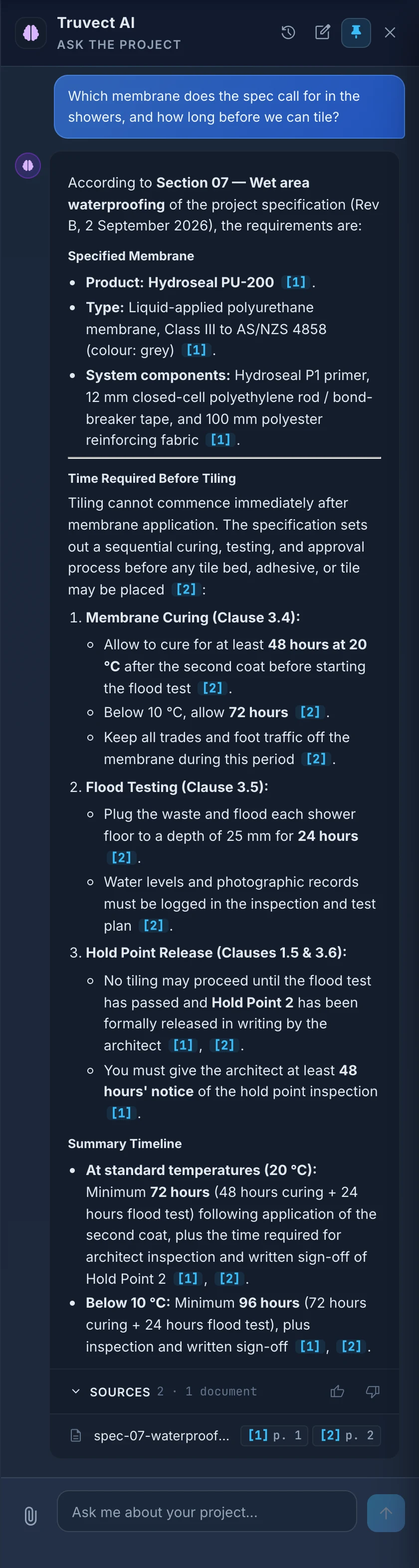
Ask a question in plain language, such as what is blocking work, how much remains in the kitchen budget, or how to submit a claim. Truvect uses the project records available to your role and cites the sources used in its answer. It can also prepare a daily briefing covering current blockers, risks, and financial issues relevant to you.
Truvect can search the programme, variations, claims, invoices, diary notes, correspondence, drawings, and specifications.
Answers include links to the records used, such as VAR-0012, a drawing, or a specification page, so you can easily find what you're looking for.
Ask Truvect to raise a defect or create a variation and it prepares the form using the available details. You review the form before anything is saved.
A client sees information available to the client role, a subcontractor sees its own contract, and the main contractor sees the records available to its role.

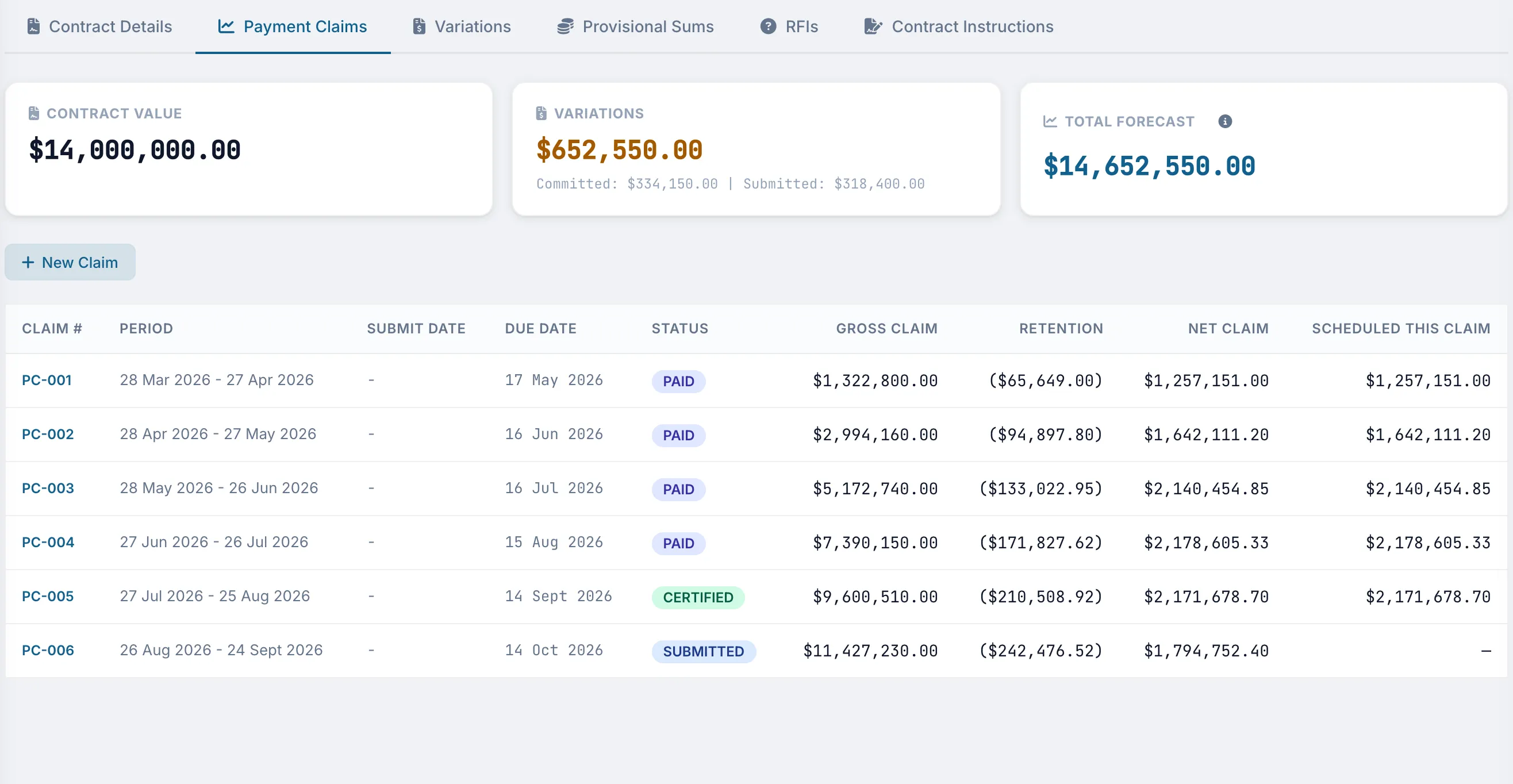
See each claim from submission through assessment, certification, and payment, including gross, retention, and net values.
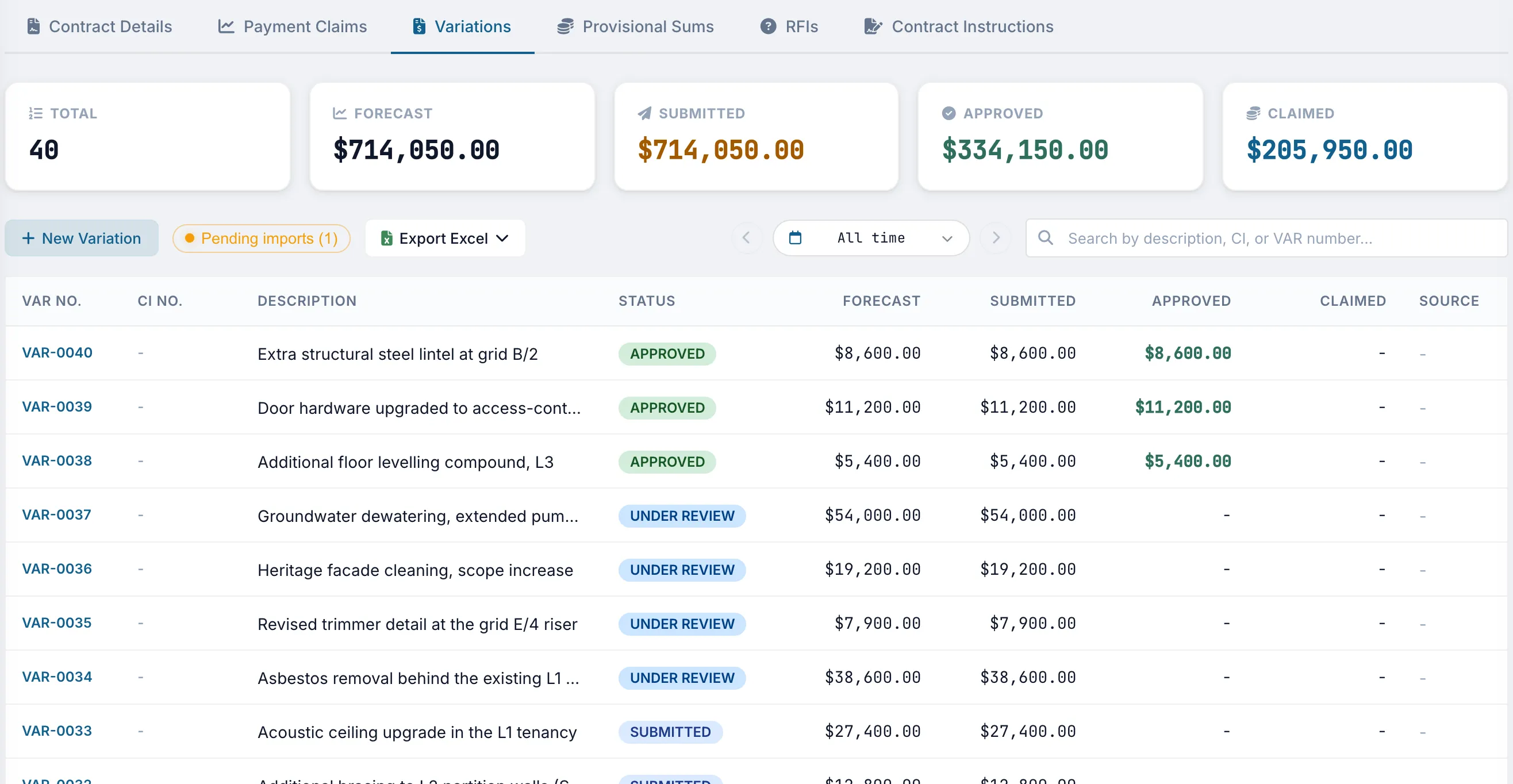
Price each variation as scope changes and keep the related instruction linked to the record.
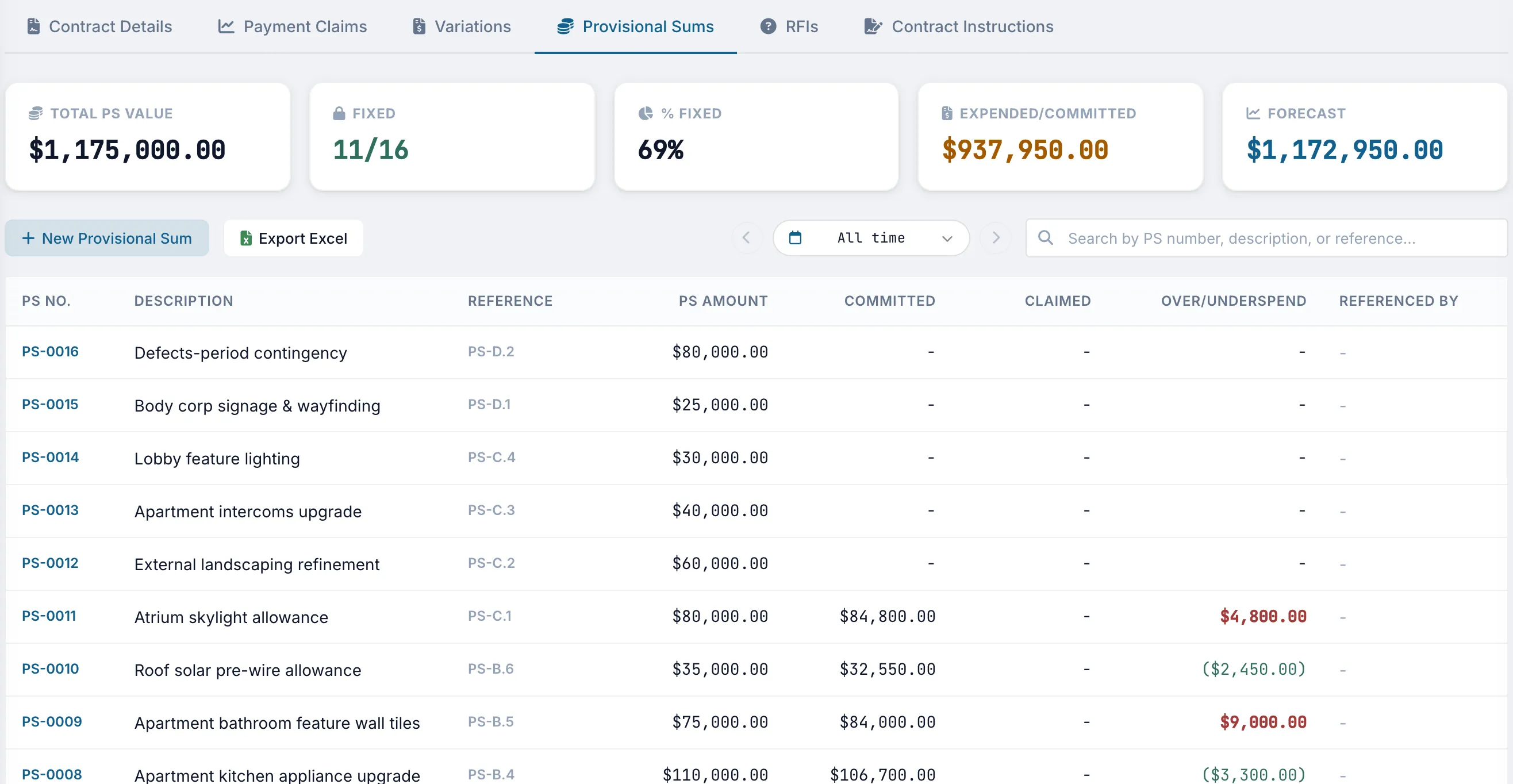
Compare the allowance, committed amount, and claimed amount for each provisional sum, with over or underspend shown by line.
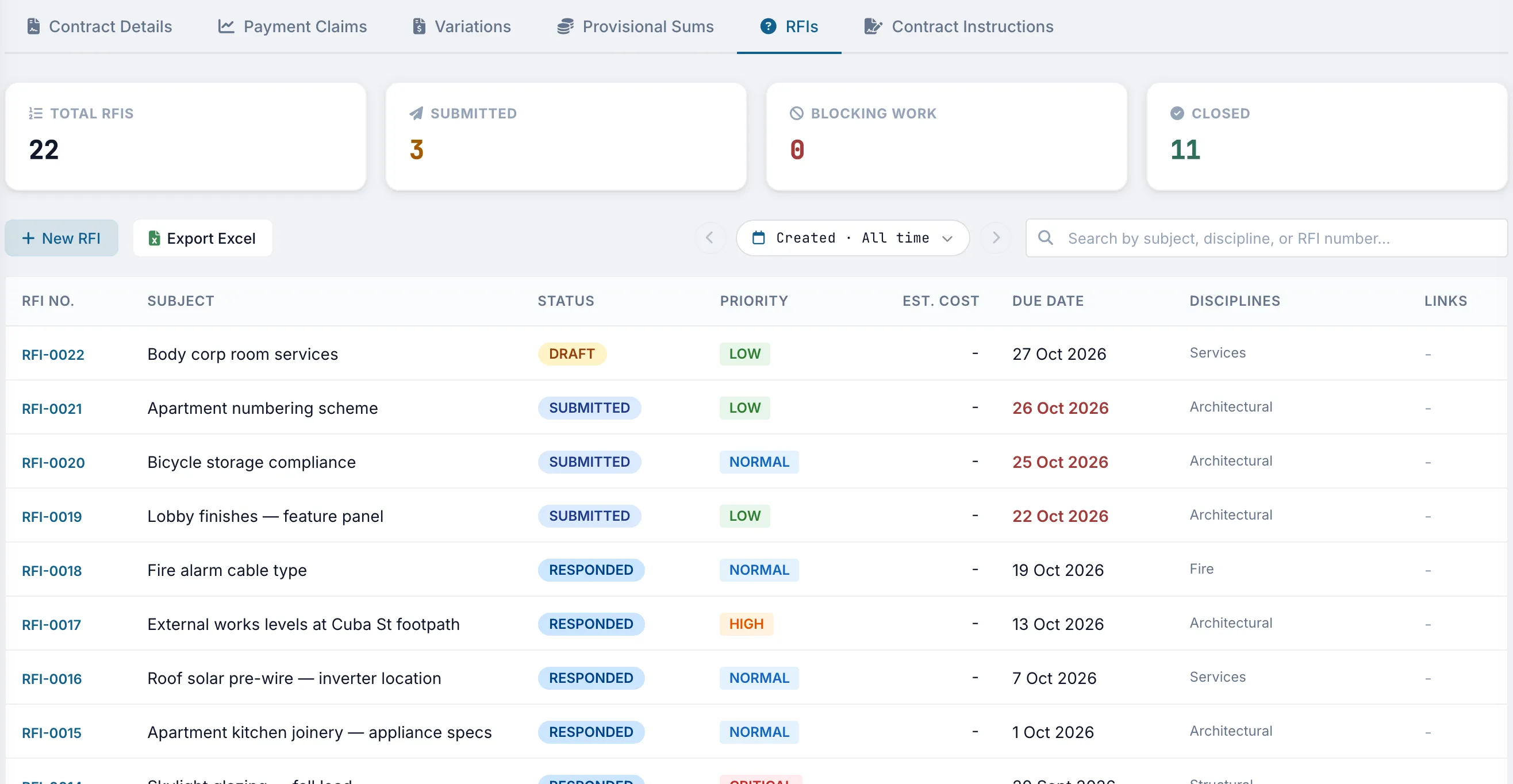
Each RFI has a status, priority, due date, and discipline, so the current position is visible without searching email threads.
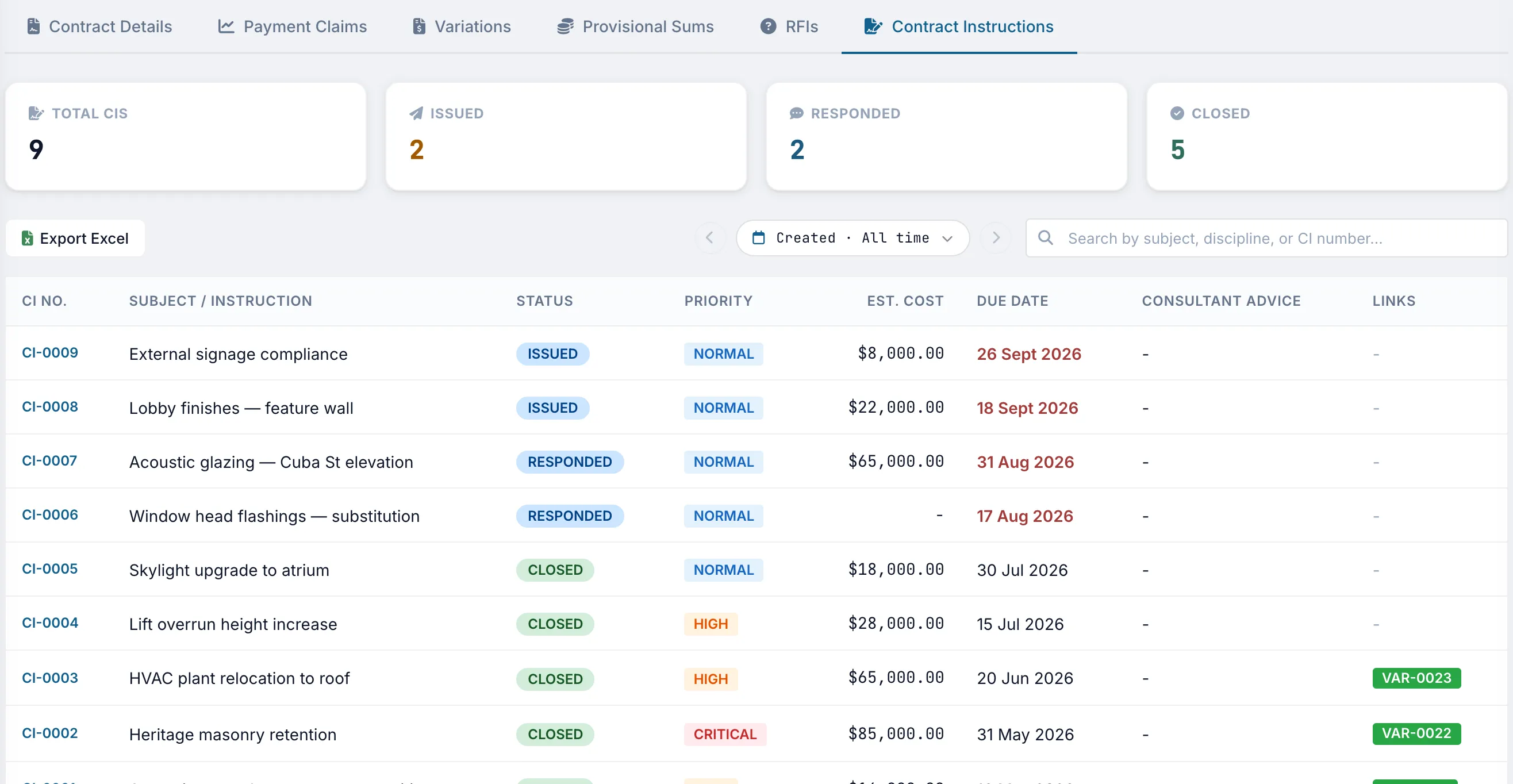
Record when an instruction is issued, responded to, and closed, along with its estimated cost and any variations created from it.
Each subcontract can include claims, variations, provisional sums, RFIs, and instructions. Subcontractors submit their records and the main contractor assesses them.
Payment claims, variations, provisional sums, RFIs, and contract instructions follow the same workflow across the head contract and each subcontract. Subcontractors can submit through Truvect, and the main contractor can assess and respond in the same system.


Purchase orders, invoices, and budgets use the same cost-code structure, giving the team a current cost position. The same data feeds cost-value and month-end reporting.


A purchase order updates the relevant cost code when it is raised, showing amounts ordered, received, and outstanding.
Upload an invoice PDF to the register with the supplier, GST-exclusive and GST-inclusive totals, and its approval and payment status. Historical invoices can be added by bulk import.
Truvect extracts the invoice details, identifies the referenced purchase order, and suggests a cost code with an explanation. You confirm or change the selection before it is posted.
Cashflow, cost-value reconciliation, variation, and period cost reports all run instantly showing live data in Truvect. Open any report tile to review. All reports are exportable to PDF, Excel and CSV.


Store drawings, site photos, contracts, and correspondence in one project library. Use transmittals to issue document sets and keep a record of what was sent, to whom, and when.


All firms can work in the same project while seeing only the information relevant to their role and based on the project's contract type. Clients can assess submissions, consultants can access their discipline, and each subcontractor is limited to its own subcontract records. Access is applied automatically rather than relying on manual file sharing.

Users sit within four access zones: the main contractor, client team, consultants, and subcontractors. Nine role types within those zones set the default view and permissions. People in the same contract position receive the same baseline access.
Clients can see certified and forecast values without access to the main contractor's margins or internal notes. Subcontractors cannot see one another's records. Permissions can also be tightened for a specific project.
Each request is checked for feature access, status, permitted fields, and record scope. Restricted financial fields are removed before data is returned to the browser.
A subcontractor sees only the records and functions for its contract, without empty columns or controls it cannot use.
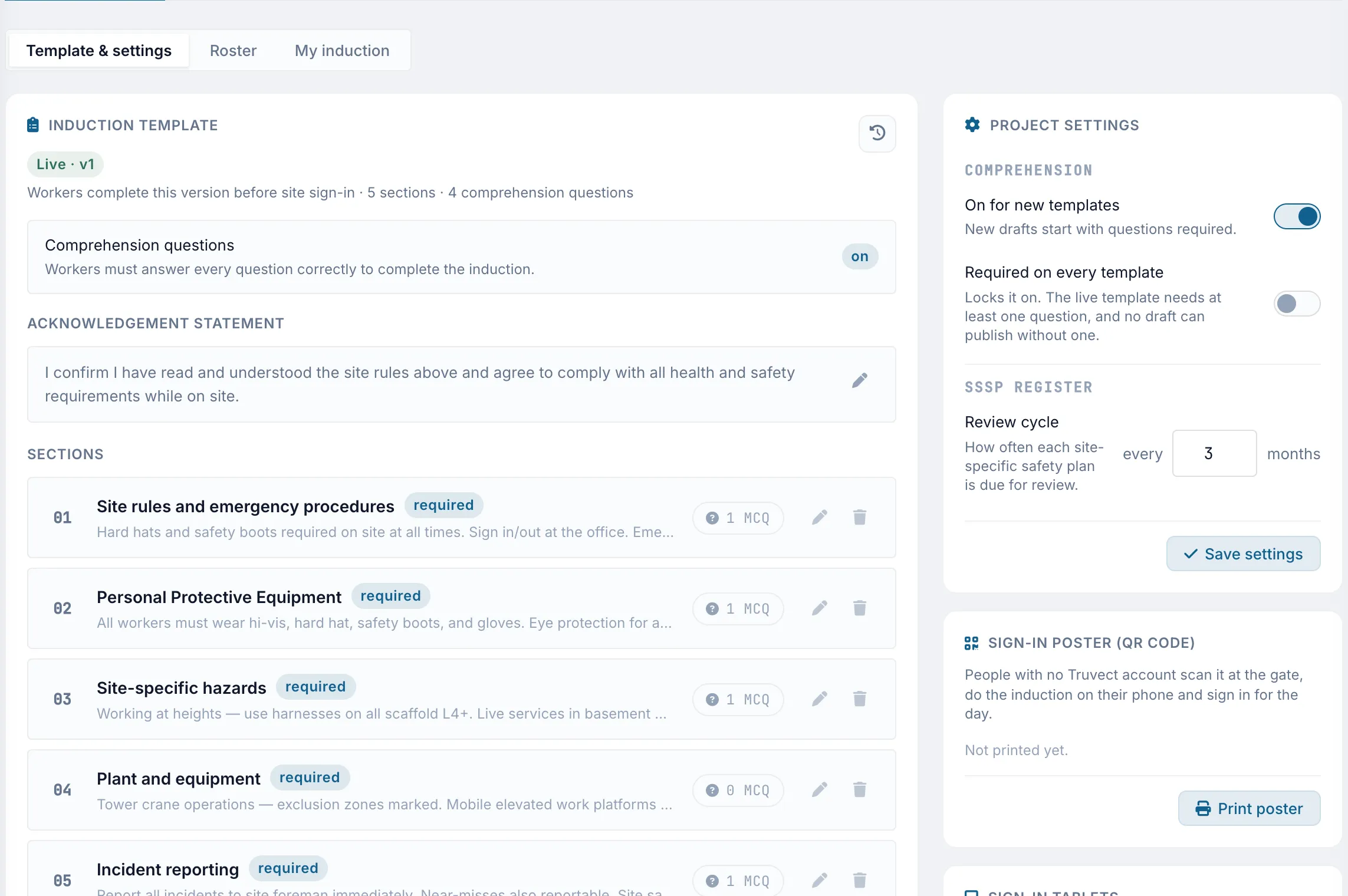
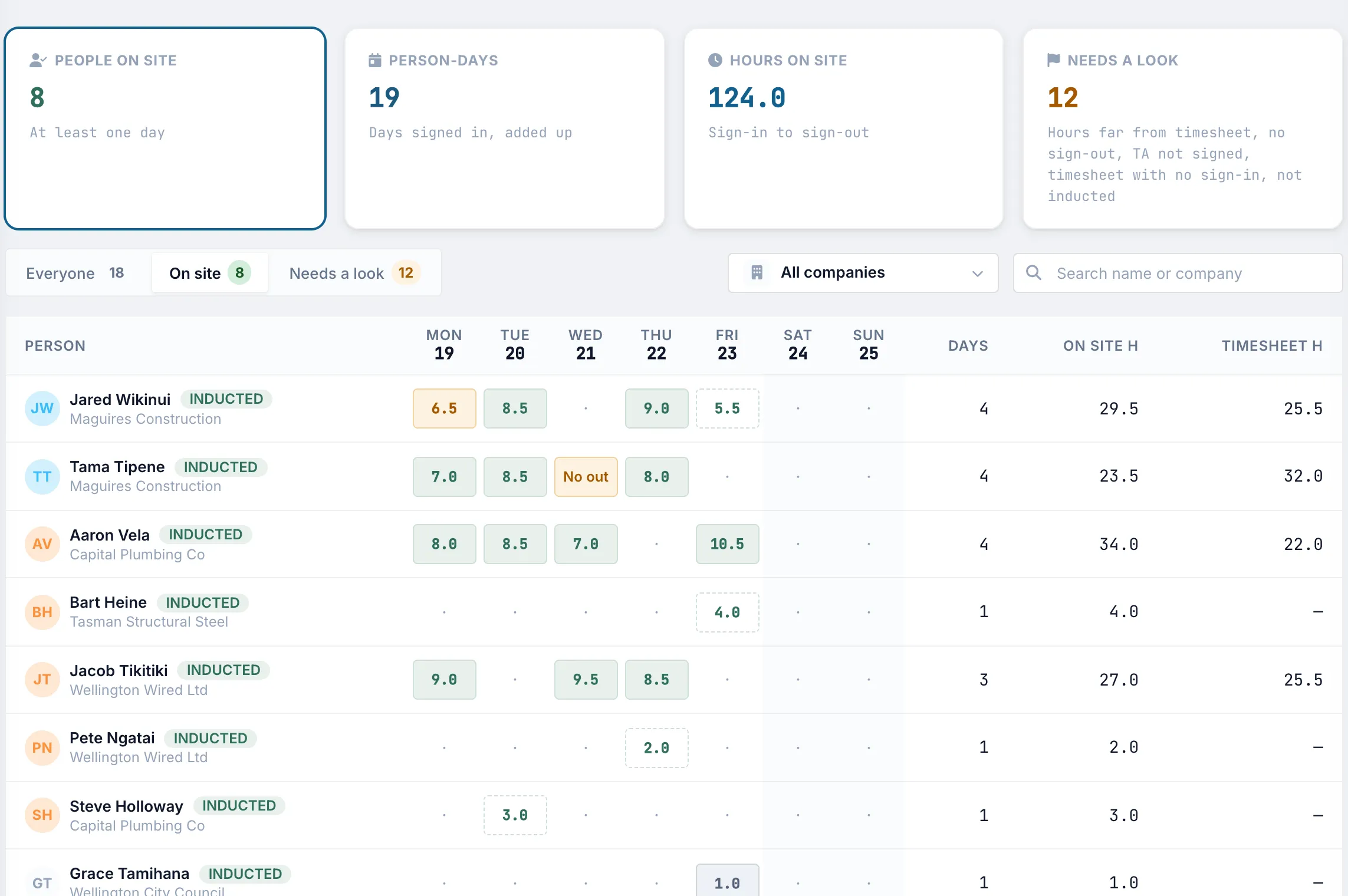
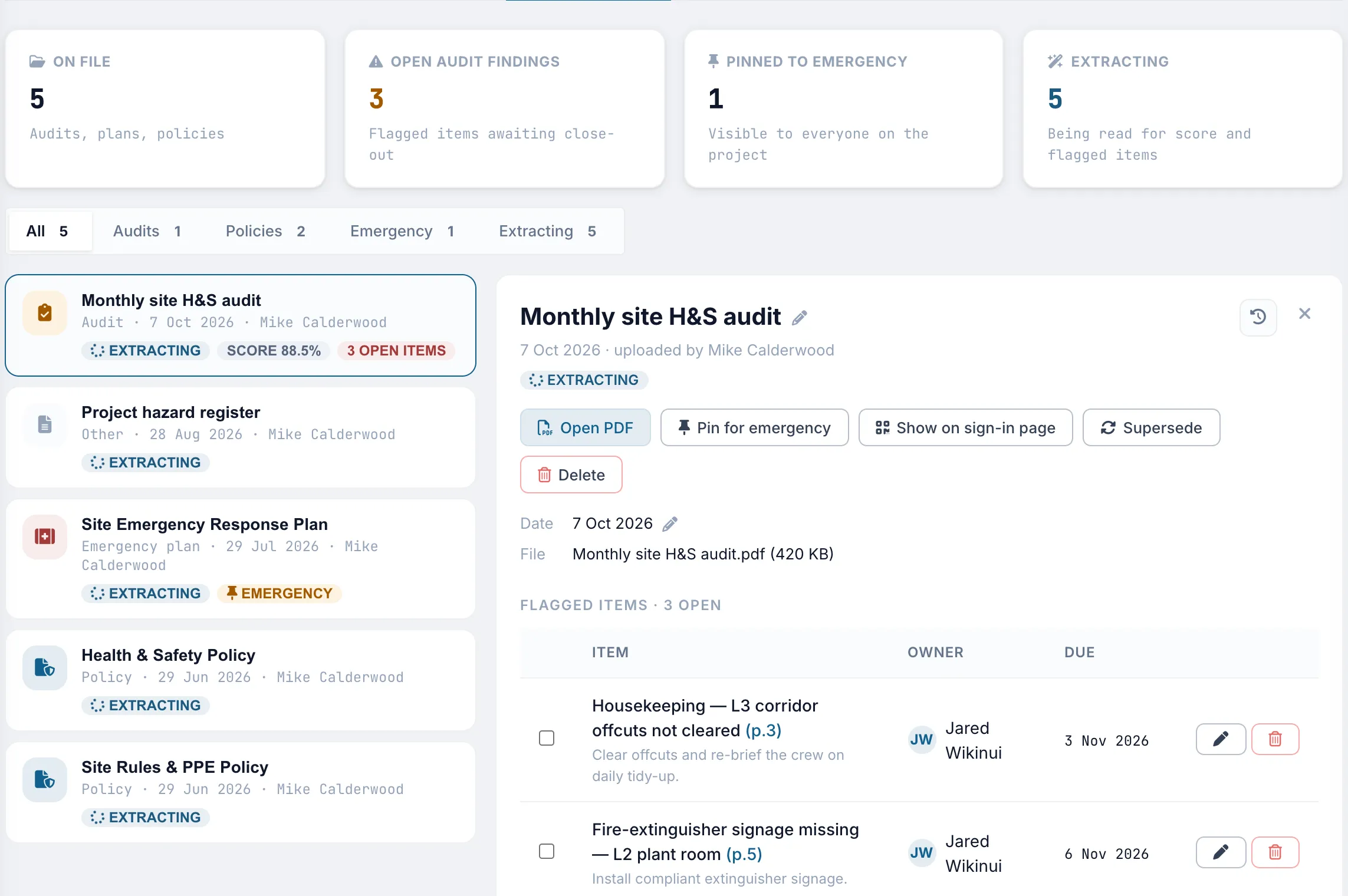
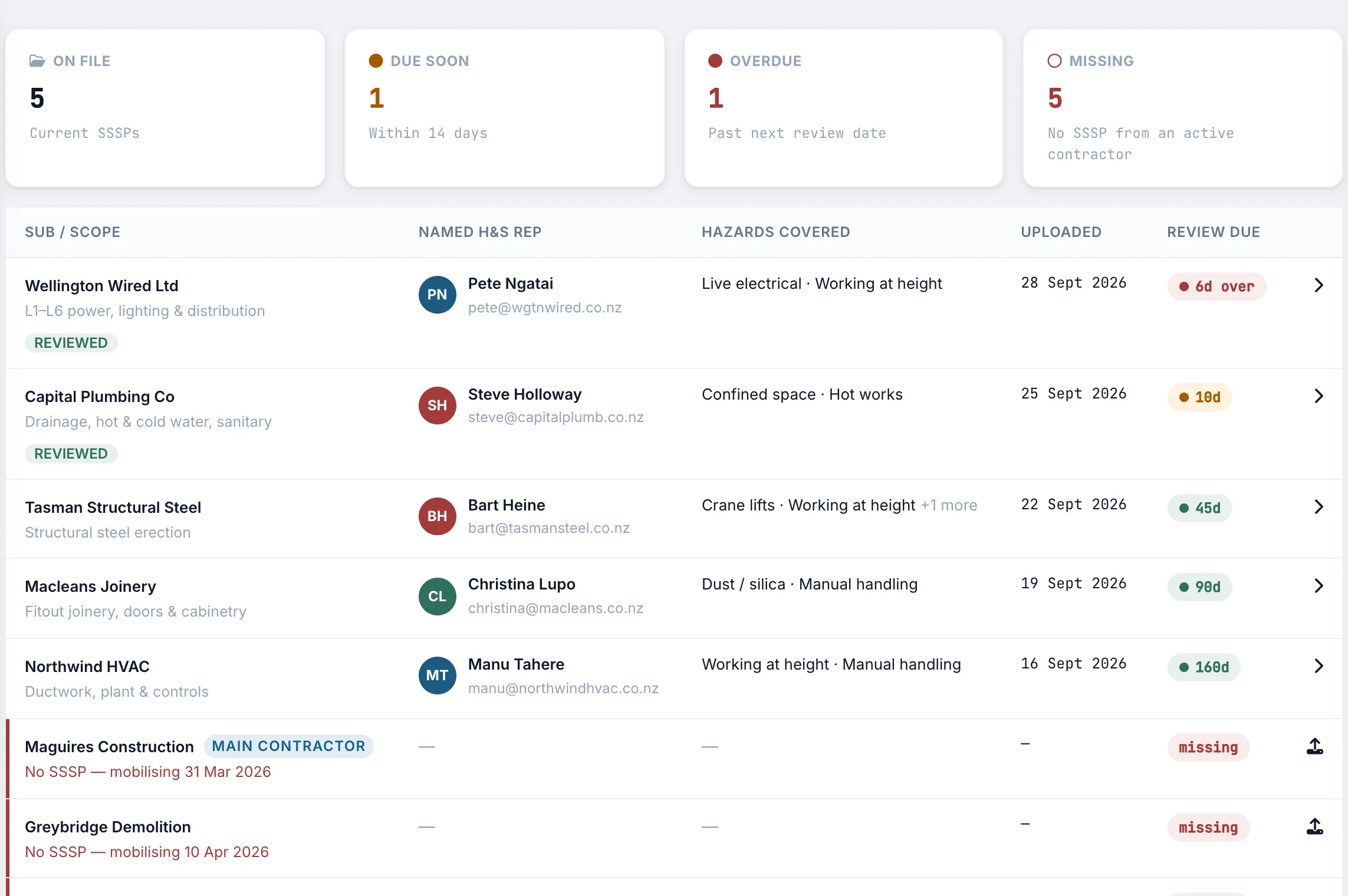
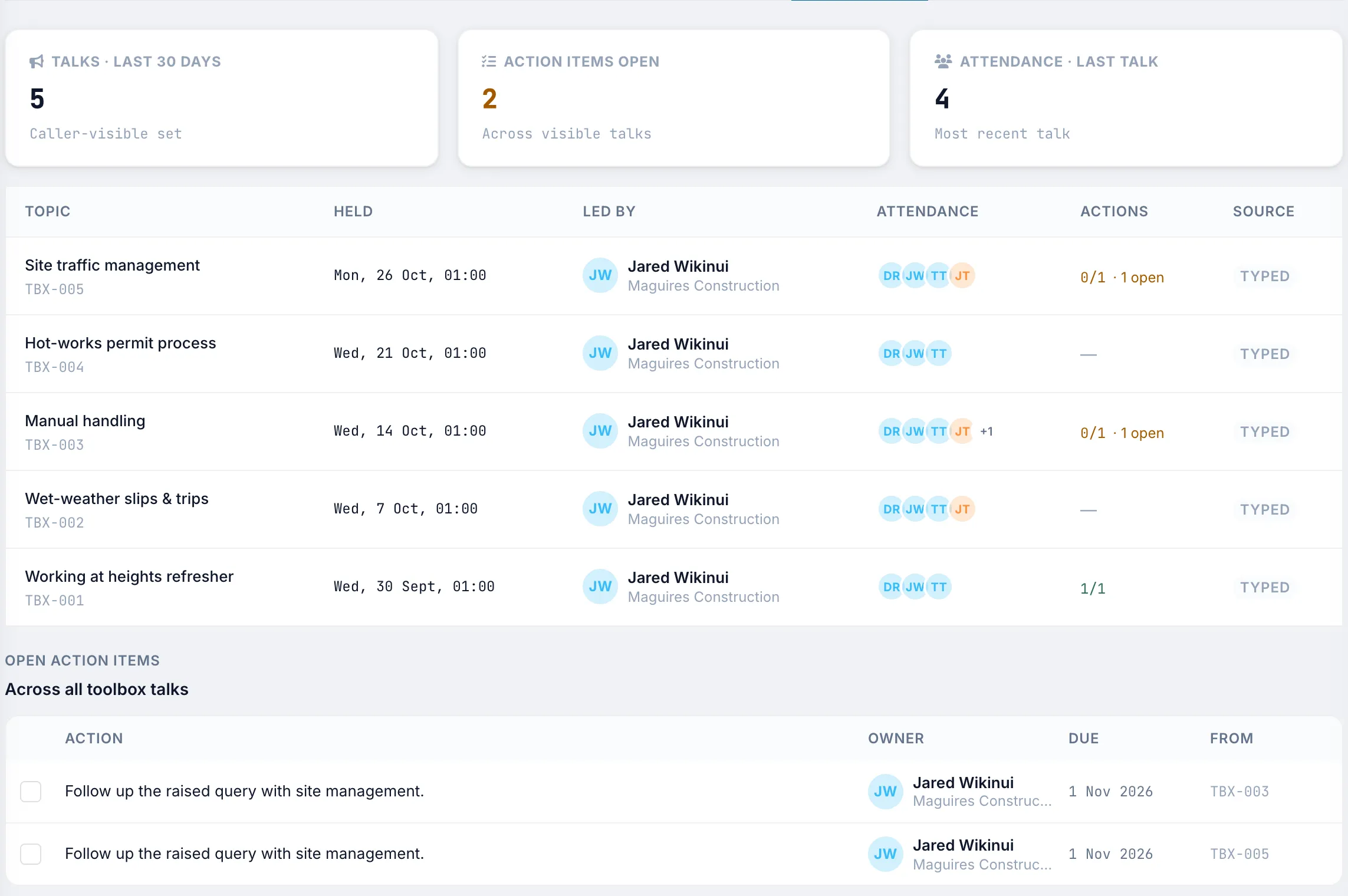
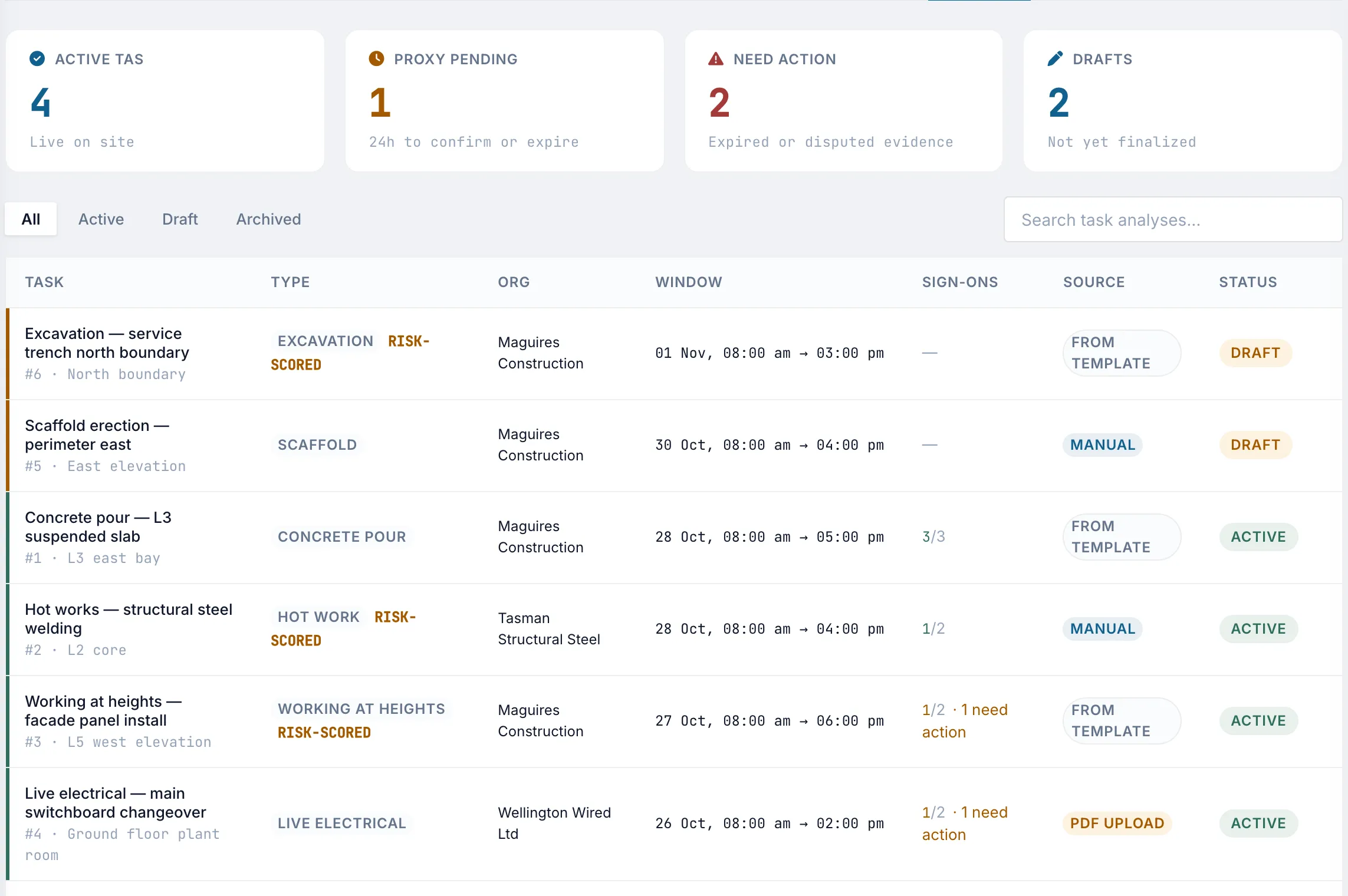
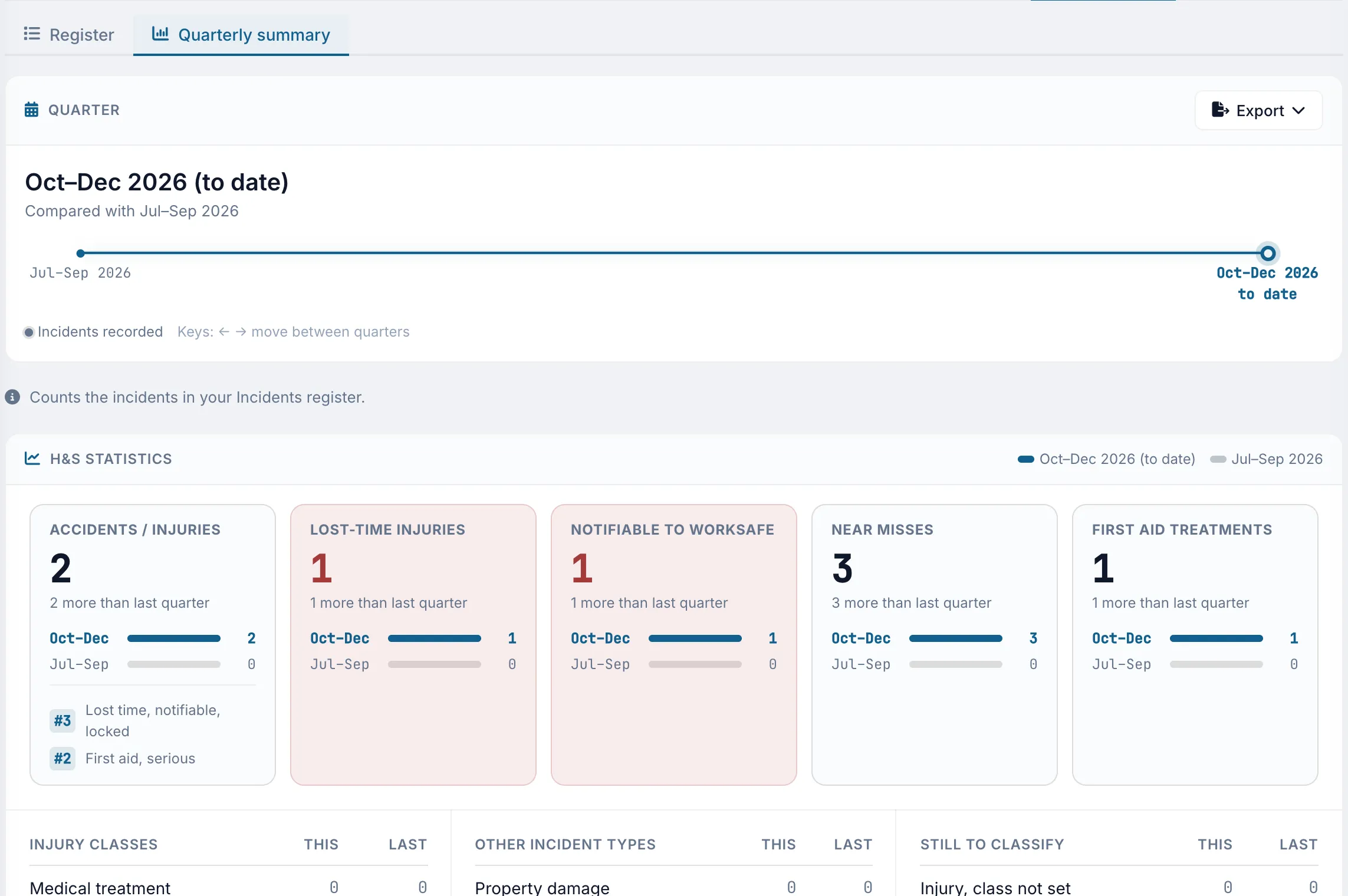
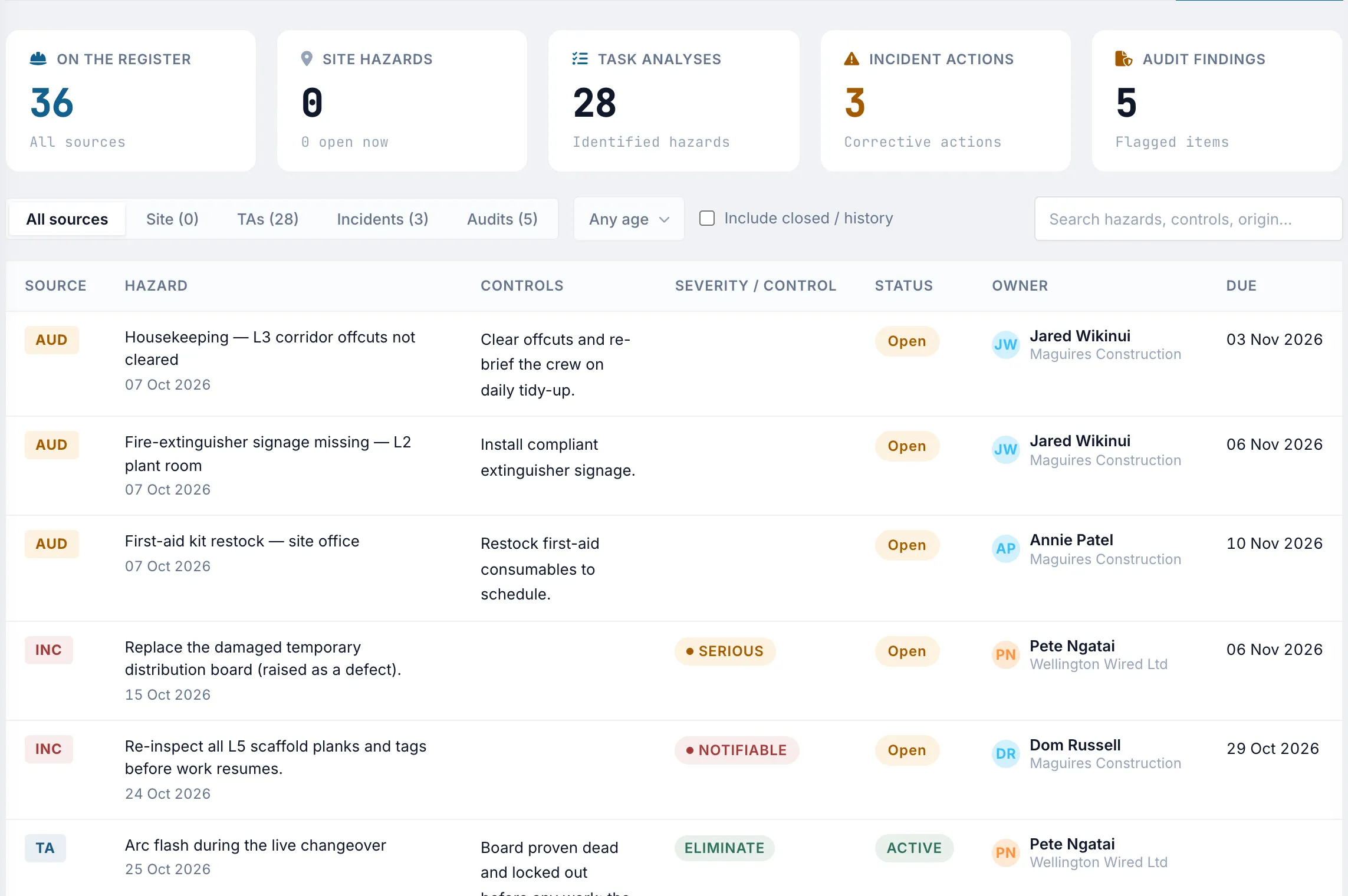
Keep inductions, toolbox talks, task analyses, SSSPs, incidents, and hazards in Truvect. The AI reviews uploaded audits and plans, provides a score, and creates actions with owners and due dates from identified findings.


Use the mobile app to raise defects, log hours, complete inductions, view drawings, and add site photos. Spoken or typed instructions can create a draft project record for review. Saved updates are available to the office straight away.


Nobody adopts a new system on day one of a project. Truvect assumes you're midway through one or more live projects, so the guided setup is built around what you already have: the executed head contract, the current programme, variation and provisional sum registers, contacts, and cost codes. Truvect extracts the contract details and detects the records in your registers, so you review drafts instead of retyping months of history.


Post approved invoices to Xero, sync the document library with SharePoint, and import takeoffs from Autodesk Forma. Jobpac and MYOB integrations are coming soon.
Feedback from clients, quantity surveyors, foremen, and project managers using Truvect on live projects.
As a client, Truvect has transformed how we can observe our projects remotely. It's always live and shows so much info that we'd usually have to ask for.
The claims process is slick and intuitive, and with the smart usage of AI, it has the best PO to invoice to code handling I've seen.
I've been using Truvect on site and it's made a massive difference. It's dramatically cut down my admin time. The AI features are a standout. It's totally streamlined how I run jobs.
Truvect puts everything I need to run the project at my fingertips, as well as offering insights that keep the team at the top of their game.
The Truvect team combines experience managing commercial construction projects in New Zealand and overseas with experience building cloud and AI systems at hyperscale.
Will has 24 years in construction, as a project manager, development manager, and property developer, in New Zealand and abroad. Two decades inside the commercial and contractual machinery of real jobs showed him exactly where construction software falls short — and what it would take to fix it. Truvect is the platform he wished he'd had on every project he's run.
Dave has 30 years experience in the IT sector, building and operating hyperscale cloud and AI systems. He was previously Principal Group Engineering Manager for Microsoft Azure Kubernetes Service. Prior to that, Dave co-led GreenButton, a pioneering cloud computing startup whose customers included Pixar, NASA, Boeing, and the US Department of Energy. GreenButton was acquired by Microsoft in 2014.
Mark is Truvect's Chief Financial Officer. Through his work at Refactor, he brings the financial and commercial discipline that keeps an ambitious product anchored to a sustainable business — from capital strategy through to the unit economics of every project the platform touches.
Andrew has 25+ years experience designing, building, and operating complex software systems across desktop, web, cloud, and containerised environments. He has senior and lead-level expertise in troubleshooting, optimising, and scaling hyperscale SaaS, PaaS, and IaaS platforms, including multi-billion-dollar Azure services such as Azure Kubernetes Service.
Charles has 15+ years experience building production machine learning systems across computer vision, recommendation systems, forecasting, and AI-powered products. He specialises in taking ML systems from concept through to deployment, turning ambiguous business problems into practical, scalable solutions that deliver measurable business value.
We are looking for senior engineers with experience building AI-enabled products and using AI effectively in software development.
We're inviting a small group of New Zealand commercial contractors to run Truvect on a live project.
The pilot group is deliberately small so we can work closely with each contractor. We are looking for teams willing to use Truvect on a live project, share practical feedback, and help us refine the product.
Thanks. A member of the Truvect team will contact you within one working day.